
AI tools such as ChatGPT, Midjourney, Gemini, and Canva have made custom silk scarf design remarkably accessible. An idea that once required a graphic or textile designer to visualize can now be turned into a sophisticated design concept in minutes.
For custom silk scarves production, however, there is one detail that is easy to overlook: an AI-generated image of a silk scarf is not necessarily print-ready scarf artwork.
We see this frequently when reviewing artwork submitted by clients. The design itself may be beautiful, but the image also contains realistic silk folds, ripples, highlights, shadows, or draping effects generated by AI.
These details make the image look like a finished silk scarf. From a production perspective, though, they can create an entirely different result.
Mockup and Print-Ready Artwork Are Two Different Things
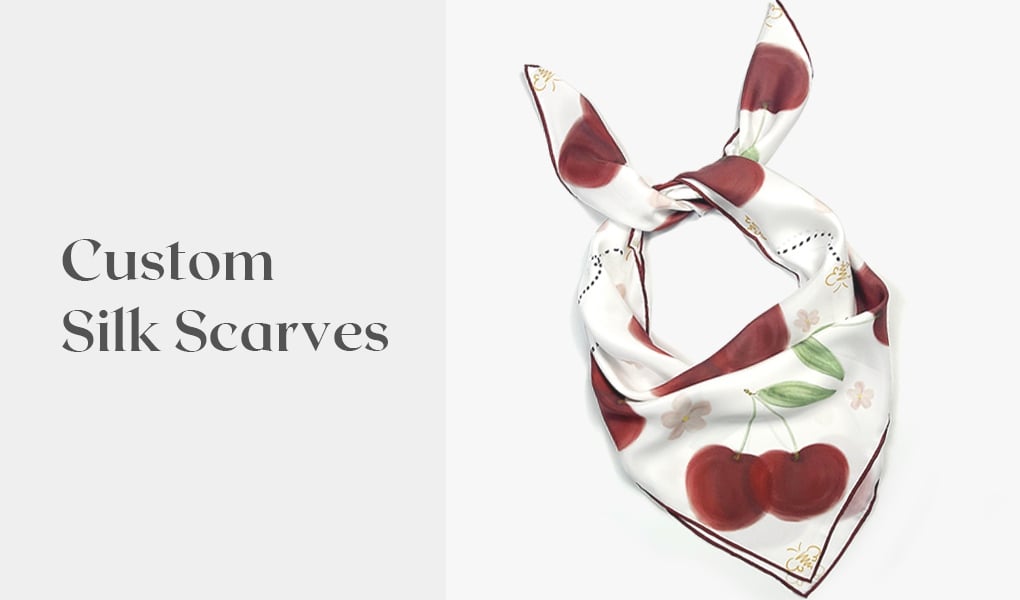
A scarf mockup is a visual representation of the finished product. It may show silk draped over a surface, softly folded, tied, or flowing naturally. Fabric texture, light and shadow are added to make the scarf appear realistic.
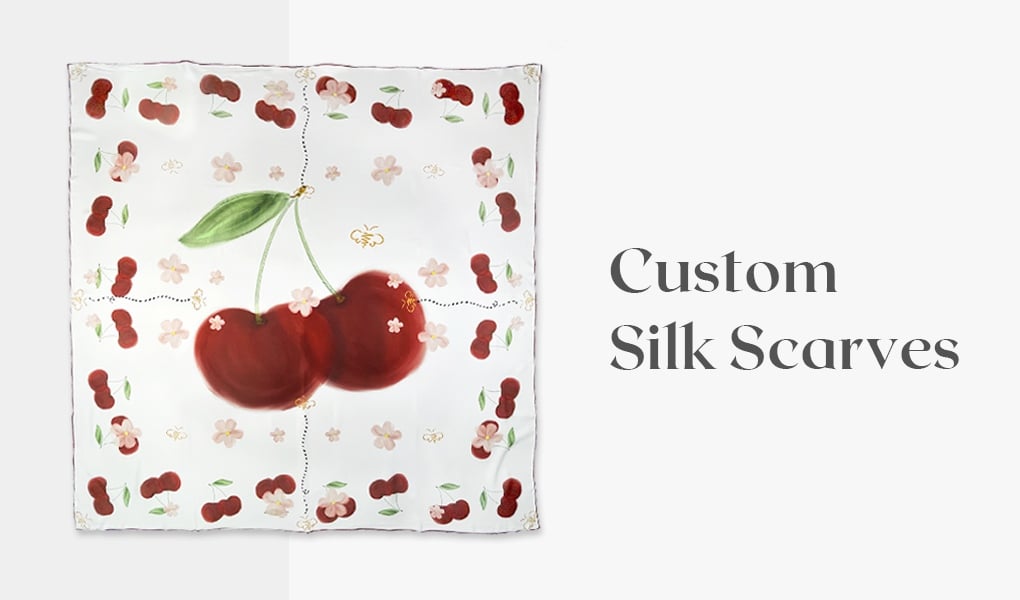
Print-ready artwork, by contrast, is the actual 2D design that will be transferred onto the fabric.
For a 65 × 65 cm square silk scarf, for example, we normally need an unfolded square layout showing the complete composition: the center motif, borders, corners, colors, and every graphic element intended for printing.
No artificial folds are required. No simulated silk ripples are required.
This distinction matters because textile printing reproduces the visual information contained in the artwork. If a dark area was generated by AI to simulate a fold in silk, the printer may reproduce that dark area as part of the design.
In other words, a digital fabric effect can become a permanent printed element.
What Happens If AI-Generated Wrinkles Are Printed?
Imagine an AI-generated scarf image with a soft wave running across the center. To create the illusion of folded silk, the AI adds a darker area on one side of the wave and a highlight on the other.
On screen, it looks beautifully three-dimensional.
Once printed onto a flat piece of silk, however, those highlights and shadows remain visible even when the fabric itself is perfectly flat. The scarf may appear permanently creased or unevenly shaded.
The real silk will then create its own natural folds, reflections, and shadows when worn. Those physical effects interact with the printed ones, potentially changing the visual balance of the original design.
This is why we pay particular attention to AI-generated ripples, folds, creases, shadows, highlights, fabric texture, and draping effects when checking customer artwork.
A Simple Way to Check Your AI Scarf Design
Before submitting an AI-generated image for production, imagine removing the silk itself from the image.
What remains should be a clean, flat 2D design.
You should be able to see the complete scarf composition from a straight top-down perspective, without folds hiding parts of the pattern and without lighting effects changing the intended colors.
If you are generating the artwork with AI, a more production-oriented prompt would be:
“Create a flat 2D square scarf design for textile printing, shown fully unfolded from a straight top-down view. Complete border and corner design. No fabric folds, wrinkles, ripples, draping, shadows, highlights, silk reflections, curled edges, perspective, or background.”
You can always create a realistic scarf mockup afterward to visualize how the design may look on silk.
For production, however, keep the two files separate: use the flat artwork for printing and the mockup for presentation.
That small distinction can make a significant difference when translating an AI-generated concept into a beautifully finished custom silk scarf.